It’s every print room manager’s worst nightmare: you leave a long run going overnight but then three hours in the temperature drops, humidity goes up, the vinyl absorbs more moisture and begins to expand unevenly.
Now the vinyl begins to snag on the printhead. It no longer passes through smoothly and instead folds over on itself like an accordion. But the printer keeps going, creating a huge jam.
You walk in next morning to be confronted by a ruined job and wasted materials. Worse still, it’s damaged the printhead, which will cost hundreds of pounds to repair, not to mention days of lost production time.
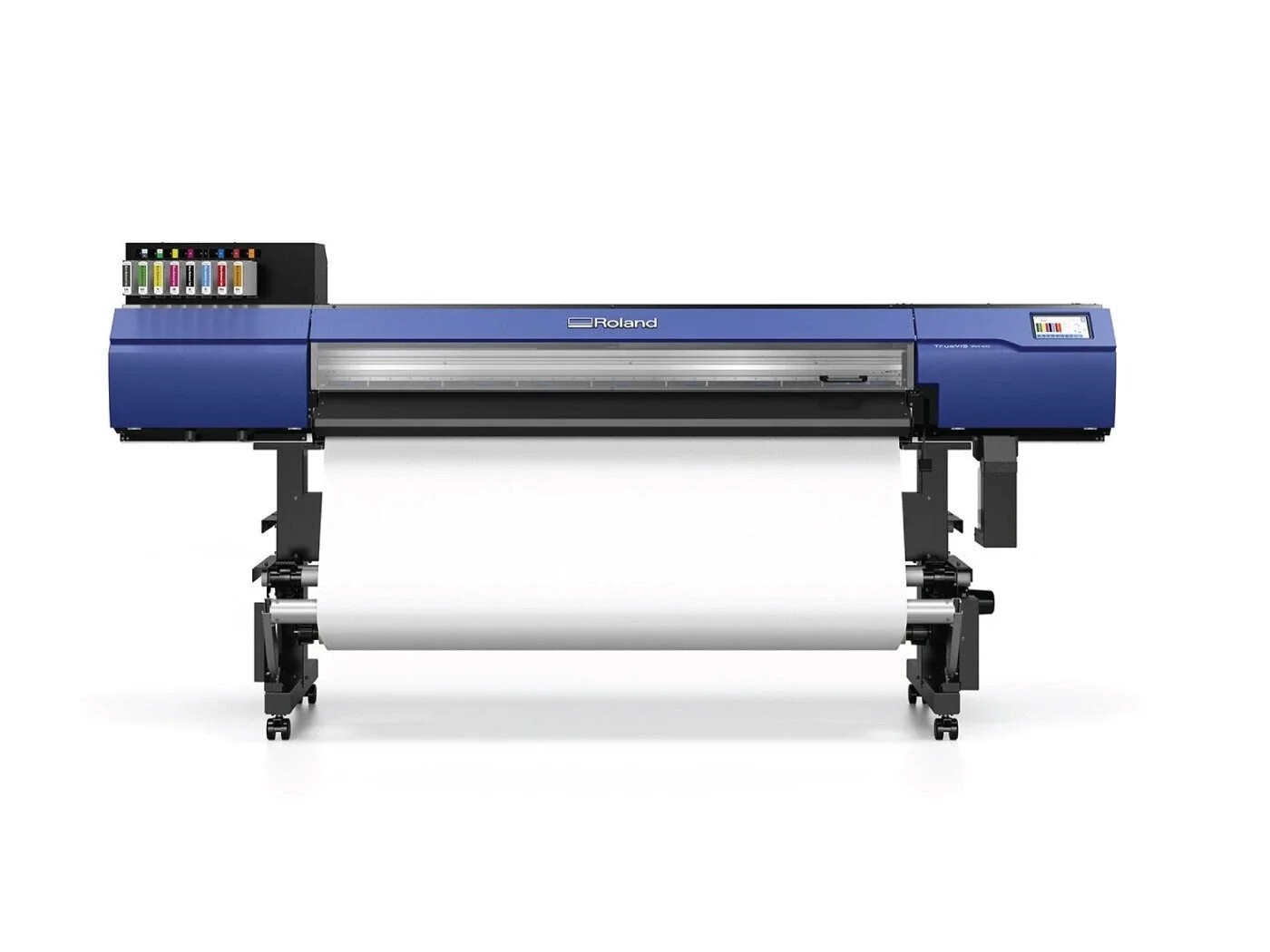
No printer can control the temperature or humidity in your print room. But the Roland VG4 is designed to reduce the media handling, take-up and cutting problems that turn small issues like this into ruined runs, helping unattended print and cut production work reliably time and time again.

The Risks Of Unattended Production
Even if the worst-case scenario doesn’t materialise, when nobody is watching the machine, small problems can soon grow into big ones. Media may drift or skew, take-up can become uneven, cutting may lose registration and a job set up incorrectly at the start may only be noticed hours later.
The cost of discovering an error late is often far higher than the cost of preventing it. That’s why reliable media handling, accurate cutting and careful set-up are essential for long wide format print and cut runs.
Improved Media Handling And Take-Up
The VG4 Series comes with a take-up unit as standard, and Roland highlights improved take-up control for both printing and cutting to support long print runs. A well-controlled printer take up system keeps media tension consistent as the roll grows, helping prevent skewing, wrinkling and tracking problems.
Consistent media handling is the foundation of reliable unattended work. When media feeds and winds smoothly, both print quality and cut registration are far more likely to stay accurate throughout the run.
Print And Cut Integration
Because the VG4 prints and contour cuts on the same machine, there’s no need to move media to a separate cutter. That reduces handling and removes a common source of registration errors.
The perforation cut function also helps. It allows printed sections to be separated easily while the media continues to be taken up, making it simpler to manage long runs of stickers, labels and decals without stopping production.
Reducing Avoidable Set-Up Steps
Every manual step at the start of a job is an opportunity for error. The VG4 includes features designed to simplify set-up and cut down the number of manual steps before each job.
A 7-inch touchscreen makes the machine easier to operate, and Direct Print lets operators reprint jobs already queued in VersaWorks 7 straight from the touchscreen. Together with VersaWorks 7 and Roland DG Connect, these tools form a streamlined Roland VG4 workflow that reduces the number of steps where things can go wrong.
Which Jobs Suit Unattended Running?
Not every job is a good candidate for running unattended. Repeat jobs on familiar media, with tested profiles and straightforward cutting, are usually the most suitable. Long runs of stickers and labels on well-behaved vinyl, for example, often work well.
Other jobs still need closer attention. New or unfamiliar media may behave unpredictably. Intricate cutting on small or complex shapes can be more prone to errors. Heavy ink coverage may affect drying and media behaviour, and jobs with specific finishing requirements may need checks along the way.
Standard Operating Procedures
Successful unattended production depends on good processes as much as good hardware. Consider building standard operating procedures that cover loading media correctly and checking alignment, running test cuts before long jobs, using tested profiles and media presets, setting up take-up properly at the start and keeping temperature and humidity stable.
Monitoring also has a role. Tools such as Roland DG Connect can help teams keep an eye on machine status, but regular checks during long runs remain sensible, particularly for high-value or deadline-critical work.
A Controlled Capacity Tool
The best way to think about unattended production is as a controlled capacity tool. It can add valuable output to your working week, but it isn’t a promise that the machine never needs operator oversight.
Used this way, wide format automation becomes something you can plan around. Many print rooms schedule their most predictable work for the end of the day, so the machine can keep producing after the team has gone home, then check the output first thing the next morning before finishing and dispatch. When combined with good procedures, suitable jobs and sensible monitoring, the VG4’s media handling and workflow features can help you extend production with confidence and improve overall VG4 productivity.
Request a call back to discuss unattended print and cut production on the Roland VG4.